
Disclosure: Some links in this article are affiliate links. We may earn a commission at no extra cost to you.
Apple Mail Privacy 2.0 and Gmail Tabs: The 2026 Inbox Survival Kit
A solopreneur's diagnostic and fix-it kit for inbox placement when opens lie and tabs eat your sends.

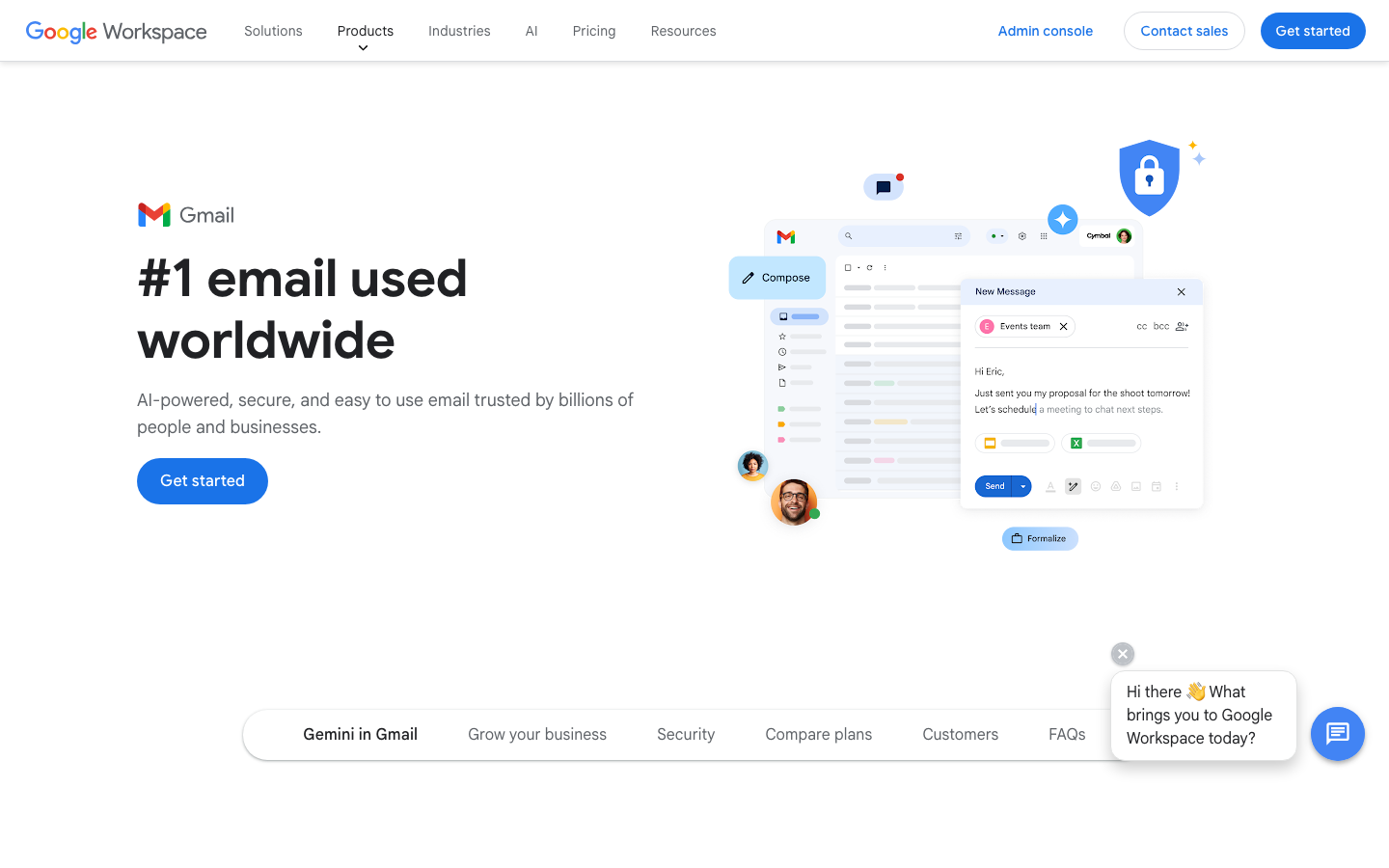
Open rates are lying. Apple's Mail Privacy Protection 2.0 strips even more headers, and Gmail's smarter tabs are dropping more sender mail into Promotions/Updates than at any point since 2013.
If your list is 5,000 subscribers and 35 percent of your sends land in Promotions, that is 1,750 lost opens per send. At a 2 percent click-to-conversion rate on a $97 product, that single mis-tabbed campaign costs $339 in revenue. Multiply by four sends a month and the math gets ugly fast: $1,356 per month, or $16,272 a year, evaporating into Gmail's Promotions tab while your dashboard reports a healthy 42 percent open rate.
The Litmus 2026 State of Email report puts Apple Mail at 58 percent of all opens, and Apple now pre-fetches every image regardless of user setting in iOS 19 and later. That means your open metric is mostly bots and pre-fetches. The real question is whether the human ever saw the message, and that is decided by Gmail's classifier and Apple's new summary tabs, not by your subject line cleverness.
This is the diagnostic-first survival kit for solopreneurs whose open rates look fine but whose reply and conversion rates are sliding. We will not hand-wave. Each step has a tool, a cost, and a benchmark.
What you'll learn
How to diagnose where your email actually lands, lock down DMARC, redesign for Gmail's 2026 tab classifier, warm new domains the right way, and replace the lying open rate with metrics that survive Apple MPP 2.0.
What you need before fixing your inbox placement
Before any of this works you need five things in place. Skip one and the rest is wasted spend.
- A sending domain you control. Not the free shared domain from your ESP. You need DNS access for SPF, DKIM, and DMARC.
- An ESP that supports custom authentication. Most do, but the configuration UX varies. GetResponse walks you through SPF and DKIM in under 10 minutes. beehiiv handles it automatically once you verify the domain. Mailchimp still hides DMARC behind paid tiers in 2026, which is one reason we no longer recommend it for serious senders.
- Ability to A/B test subject lines and from names. If your platform does not support this natively, you cannot iterate.
- A list with at least 30 days of engagement history. Cold imports without consent will fail no matter what you do.
- Budget of $30 to $80 per month for a seed-list deliverability monitor. This is non-negotiable in 2026.
If any of these are missing, fix them before you touch a campaign. Otherwise you are decorating a sinking ship.
Step 1: Diagnose where your email actually lands
You cannot fix what you cannot measure. Gmail and Apple do not tell you which folder your message landed in, so you need a seed list of test inboxes that report placement back to you.
The four tools that matter in 2026:
- GlockApps at $59 per month for the Pro plan. Tests across 90+ seed inboxes including Gmail, Outlook, Yahoo, and Apple iCloud. Reports tab placement (Primary, Promotions, Updates) and spam folder rates.
- Mail-Tester at free for 3 tests per day or $20 per month for 250. Quick spam-score check, useful for a sanity test before you hit send.
- Email on Acid at $99 per month. Combines deliverability with rendering tests. Good if you also want to catch broken layouts in Outlook.
- MailGenius at $49 per month. Cheaper alternative to GlockApps with similar seed coverage.
Run a baseline test on your last three campaigns. If you see more than 15 percent landing in Promotions or Spam at Gmail, you have a placement problem worth fixing. If Spam is over 3 percent at any major provider, stop sending broadcast campaigns immediately and fix authentication first.
Warning
Seed lists are an indicator, not absolute truth. They miss your actual subscriber engagement signals. Combine seed data with real metrics like reply rate and click rate per campaign for a complete picture. This is part of the broader 2026 deliverability crisis that one tool alone will not solve.
Step 2: Lock down SPF, DKIM, and DMARC at p=quarantine or higher
The Google and Yahoo bulk sender requirements that took effect in February 2024 still drive most placement decisions in 2026. Senders without proper authentication get filtered before any content rule fires. Google's bulk sender requirements are the public spec.
The three records you need at your DNS provider:
- SPF as a TXT record on your sending domain. Example: v=spf1 include:_spf.getresponse.com ~all. Replace the include with your ESP's domain.
- DKIM as a CNAME or TXT record provided by your ESP. Most ESPs auto-generate this when you verify the sending domain.
- DMARC as a TXT record at _dmarc.yourdomain.com. Start at v=DMARC1; p=none; rua=mailto:[email protected] to collect reports without enforcement.
The progression matters. Start at p=none for two weeks. Use Brevo or a dedicated tool like EasyDMARC ($30 per month) to parse the XML reports and confirm all your legitimate sources are aligning. Then move to p=quarantine for at least 30 days. Then graduate to p=reject, which is the gold standard.
Why reject matters: a domain at p=reject signals to Gmail and Apple that you take authentication seriously. The Litmus 2026 study showed senders at p=reject saw 12 percent higher Primary tab placement at Gmail than identical senders at p=none.
Step 3: Redesign for Gmail's tab classifier (and Apple's summary)
Gmail's 2026 update tightened offer-detection rules. The classifier now flags discount percentages, urgency phrases, and image-heavy templates within the first scan. Apple Intelligence, which shipped on iOS 19 in 2025 and expanded in 2026 with summary tabs, also clusters mail into priority and non-priority groups based on sender history and content type.
The design rules that actually move placement:
- Plain-text-first templates. One column, no nested tables, system fonts. The newsletter renders the same in dark mode and on Apple Mail's summary view.
- Single CTA. Multiple buttons read as a sales flyer to the classifier.
- Image-to-text ratio under 40 percent. Under 20 percent for Primary tab placement on a 5,000+ subscriber list.
- No power words in subject or first 80 characters. Avoid: free, 50% off, last chance, exclusive, urgent, act now. These trigger Promotions classification roughly 70 percent of the time per Litmus 2026.
- Consistent from-name pattern. Use FirstName at YourBrand for personal-feeling sends. Brands using a generic noreply@ landed 8 percent more often in Promotions in the same Litmus study.
- One link in the first 200 words maximum. Multiple early links signal commercial intent.
Apple's summary tabs in iOS 19.4 and later cluster sends by sender pattern. If you suddenly switch from-names or topics, Apple may demote you from the Priority summary into the Other summary, which behaves like Promotions for engagement purposes.
Quick win
Strip your next newsletter to plain text with a single CTA. Send it to a 1,000-person engaged segment and check seed-list placement. If Promotions placement drops by 10 points or more, make this your default template.
Step 4: Warmup new domains the 2026 way
If your domain is less than 90 days old or you are about to scale sending volume by 3x or more, you need to warm up. The 2-week ramps that worked in 2022 will get you throttled in 2026.
The 2026 reality:
- Week 1: 30 to 50 messages per day to your most engaged subscribers only.
- Week 2: 100 to 200 messages per day, still to engaged subs.
- Week 3: 500 messages per day, expand to 90-day-engaged segment.
- Week 4: 1,000 to 2,000 per day, expand to 180-day-engaged.
- Week 5 to 6: scale to full list size, but never more than 2x previous day's volume.
The tools that automate this in the background:
- Lemwarm from Lemlist at $29 per month. Adds your sending address to a network of real inboxes that send and reply to each other, building a positive engagement history.
- Mailflow at $49 per month. Similar inbox-to-inbox conversation pattern, integrates with most ESPs and outreach tools.
- Smartlead at $39 per month with built-in warmup. Best if you also need cold outreach features.
For broadcast newsletters, do not use these warmup tools alongside your real campaigns at the same time. Warm the domain first, then start sending newsletters. Mixing the two confuses Gmail's reputation tracking. See our deeper guide on deliverability tools for the full stack.
Step 5: Segment by engagement to keep sender reputation high
Sender reputation is mostly engagement math. Gmail and Yahoo both track positive signals (opens, replies, clicks, forwards) versus negative signals (deletes without read, marks as spam, no engagement) per sender domain. A list with 60 percent dead subscribers will sink your reputation no matter how clean your design is.
The 30/60/90 rolling segmentation rule:
- 30-day engaged. Anyone who opened or clicked in the last 30 days. Send your full broadcast schedule to this group.
- 60-day engaged. Add to broadcasts but exclude from cold-toned subject lines.
- 90-day engaged. Send a re-engagement sequence: 3 emails over 14 days asking if they still want to hear from you.
- 180-day inactive. Sunset. Remove from active list. Save them for an annual win-back send only.
Run the math: a 5,000-subscriber list where 40 percent are inactive is really a 3,000-active list with 2,000 reputation drains. If you sunset the dead 2,000, your engagement rate per send jumps from 12 percent to 20 percent, which lifts inbox placement materially. ConvertKit, MailerLite, and Klaviyo all support automatic segmentation by engagement window.
The re-engagement sequence is its own design problem. We covered the structure in our guide to welcome sequences that re-warm new subs, and the same patterns apply for cold subscribers.

Step 6: Stop measuring open rates. Measure these instead.
Apple MPP 2.0 strips additional X-Apple-* headers that previously let some ESPs distinguish bot opens from human opens. As of Apple's developer notes from late 2025, even the most clever pixel-based open detection now returns a near-100 percent open rate for any subscriber on iOS 19 or later. The metric is dead.
Replace it with these five:
- Click-through rate (CTR). Real human action. Healthy benchmark: 2 to 4 percent for newsletters, 4 to 8 percent for sales sequences.
- Reply rate. The single best signal for cold outreach and high-trust newsletters. Healthy benchmark: 1 to 3 percent for newsletters, 8 to 15 percent for warm cold outreach.
- Conversion rate per send. Tracked URL parameters into your funnel. Tells you what each campaign actually earned.
- List growth rate. Net new subscribers per month minus unsubscribes. Below 2 percent means your list is decaying.
- Complaint rate. Spam reports per send. Must stay under 0.1 percent. Above 0.3 percent and Gmail will throttle you.
Setting your dashboard to highlight these instead of opens forces honest decisions. A campaign with 48 percent opens but 0.4 percent CTR is failing. A campaign with 28 percent reported opens but 3.2 percent CTR is winning. Trust the action metrics.
Common mistakes to avoid
- Buying a list. Cold purchased lists tank reputation in days and you cannot recover the domain. Start over with a clean opt-in.
- Using one domain for newsletters and cold outreach. Cold gets complaints. Complaints poison the newsletter side. Always separate.
- Skipping DMARC reporting. Without rua reports you have no visibility into who is spoofing your domain or which legitimate senders are failing.
- Sending the same template every send. Gmail's classifier learns your pattern. Vary subject length, image count, and CTA position.
- Optimizing for opens. Already covered, but worth saying again. Opens are a vanity number in 2026. Optimize for revenue per send.
Frequently asked questions
Are open rates completely useless in 2026?
Not completely, but they are noisy. Apple MPP 2.0 pre-fetches images for any user on iOS 19 or later, which inflates Apple-side opens to a near-constant. Treat opens as a directional signal only. The Litmus 2026 State of Email report shows Apple now accounts for 58 percent of opens, so any list with more than 30 percent Apple subscribers will see manufactured opens. Use clicks, replies, and revenue per send as your real KPIs.
How long does domain warmup actually take in 2026?
Plan for 4 to 6 weeks, not 2. Google's bulk sender rules raised the bar in February 2024 and tightened again in 2026. New domains sending more than 5,000 messages per day to Gmail addresses without a slow ramp will get throttled or filtered into Spam. A typical ramp starts at 30 emails on day one, doubles every 2 to 3 days to engaged users only, and reaches full volume by week 5. Tools like Lemwarm, Mailflow, and Smartlead's built-in warmup automate the inbox-to-inbox conversation pattern.
What image-to-text ratio keeps Gmail from filing me into Promotions?
Stay under 40 percent images by pixel area, and ideally under 20 percent for newsletters that want Primary placement. Gmail's 2026 classifier weighs visual density, link count, and offer keywords together. A single hero image plus three short paragraphs and one CTA tends to land in Primary or Updates. A six-image gallery with discount codes goes to Promotions almost every time.
Is DMARC at p=quarantine enough or do I need p=reject?
Quarantine is the floor for any sender hitting more than 5,000 Gmail or Yahoo recipients per day. Reject is the gold standard and is what Litmus and EasyDMARC both recommend by end of 2026. Reject means a forged email from your domain is dropped, not just spam-foldered. Move from none to quarantine after two clean weeks of DMARC reports, then to reject after another month at quarantine with zero legitimate failures.
Should I use a separate sending domain for cold outreach versus newsletters?
Yes, always. Cold outreach attracts complaints and hard bounces that will tank a newsletter sender reputation. Use a subdomain like mail.yourbrand.com for marketing and a separate domain like yourbrand-team.com or get.yourbrand.com for cold sequences. Each should have its own SPF, DKIM, and DMARC alignment. Tools like Lemlist and Smartlead are built around this multi-domain pattern for exactly this reason.
Tools and resources
- GetResponse for the recommended ESP path with built-in deliverability tools, easy DMARC setup, and inbox preview. Full breakdown in our GetResponse review.
- beehiiv for newsletter creators who want plain-text-first templates and automatic authentication. Read our beehiiv review.
- ConvertKit for creator-focused engagement segmentation.
- MailerLite for budget-friendly automation under $50 per month.
- Klaviyo if you run ecommerce and need behavioral triggers.
- Brevo for transactional plus marketing in one stack.
- Lemlist for cold outreach with built-in Lemwarm domain warmup.
- Mailchimp if you must, but be aware of placement issues we cover in the review.
Next steps
Inbox placement is no longer a single-tool problem. Authentication, design, segmentation, and measurement all need to align before Gmail and Apple stop hiding your sends. The fastest path is to pick one ESP that handles authentication well, sunset your dead subscribers this week, and run a seed-list test on your next campaign.
Start with our curated stack at /ai-tools to compare ESPs, deliverability monitors, and warmup tools side by side. The right combination usually pays for itself in the first month of recovered Primary tab placement.