On this page7 sections

Disclosure: Some links below are affiliate links. We may earn a commission at no cost to you. How we review.

Best Marketing Automation for Small Business in 2026: Platforms vs. Connectors

Every "best marketing automation" list treats platforms and connectors as the same thing. They are not. Pick the wrong category and you waste money on the wrong bill for a year.

Small business owner reviewing marketing automation workflows on a dashboard

Disclosure: Some links in this article are affiliate links. We may earn a commission at no extra cost to you.

Every "best marketing automation for small business" list has the same structural flaw. It treats Mailchimp, ActiveCampaign, GoHighLevel, Zapier, and Make as if they are competing for the same job. They are not. Half that list is a platform, where your contacts and automation logic live inside one system. The other half is a connector, where nothing lives. It just passes data between the tools you already pay for. Buying the wrong category is the single most expensive mistake a small business makes when it first shops for automation, and it usually costs 12 months and a few thousand dollars before the owner realizes what happened.

The HubSpot State of Marketing report finds that SMBs cite "too many disconnected tools" as their top marketing operations complaint, yet the most common response is to buy another tool on top of the stack instead of consolidating. This guide does the opposite. It forces a category decision first, then recommends inside that category with a technical UI/UX lens, not a feature-count spreadsheet. Twelve tools, split into Type 1 platforms and Type 2 connectors, ranked on the axes that actually determine whether you will still be using the tool in year two: automation builder UX, trigger-condition depth, native integration coverage, price-per-contact scaling, learning curve, and CRM depth.

Quick answer

If you do not have a marketing stack yet, buy a platform (GetResponse at $19/mo covers 80% of small businesses). If you already have disconnected tools, buy a connector (Make at $9/mo). Most businesses need one of each eventually, never two of the same category.

What to look for in small business marketing automation

Six criteria separate the tools that stick in a stack from the ones that get cancelled in month four. I grade every tool below on all six, because a tool that wins on four of them and loses hard on two will still get abandoned.

1. Automation builder UX. The builder is where you spend 80% of your time after setup. Visual drag-and-drop with branching paths is the floor in 2026. Tools that still rely on list-based or trigger-only automation (looking at you, legacy Mailchimp) force you to think like a database instead of a workflow. Look for a canvas where you can see the entire journey at a glance and click any node to inspect it.

2. Trigger-condition depth. Every tool claims "powerful automation." What matters is what you can branch on. Can you branch on a custom field value and a tag and a purchase event, all in the same automation? Can you wait-until-condition-is-met instead of wait-fixed-time? ActiveCampaign's conditional logic runs 20+ branch types. GetResponse runs 12. Mailchimp's free plan runs 3. That gap decides whether you can model your real sales funnel or a flattened caricature of it.

3. Native integration coverage. A platform with 300+ native integrations (GetResponse, Kartra) needs a connector rarely. A platform with 30 native integrations (niche tools) needs Make or Zapier weekly. Check the vendor's integration directory before buying. If the three tools your business depends on are not listed as native, you are about to buy a connector subscription you did not budget for.

4. Price-per-contact scaling. Every email-based platform bills on contact count. The entry price is a trap. Run the math at 5,000, 10,000, and 25,000 contacts. Mailchimp's 10K-contact tier is $100/mo. GetResponse at 10K is $59/mo. ActiveCampaign at 10K is around $145/mo. Same job, wildly different curves.

5. Learning curve. Time-to-first-working-automation matters. Systeme.io gets a new user to a running welcome sequence in 30 minutes. GoHighLevel takes a week of setup before it earns its keep. That difference is a real cost in abandoned tools.

6. CRM depth. If your sales process has stages, rep assignments, and deal values, you need a real CRM. Most email platforms ship a "CRM" that is just a tagged contact list. ActiveCampaign, Kartra, and GoHighLevel include real pipelines. GetResponse, Mailchimp, and Mailerlite do not.

Practitioner tip

Before evaluating any tool, list the three events that should trigger an automation in your business (e.g., form submit, purchase, tag added). Then check whether the tool lets you branch on those three events together in one automation. If it cannot, it is not the right platform for you no matter how nice the landing page builder looks.

Comparison at a glance

ToolTypeBest ForEntry PriceFree Tier
Systeme.ioPlatformFirst-time business, free start$27/moYes, 2K contacts
GetResponsePlatformBalanced all-around pick$19/moYes, 500 contacts
ActiveCampaignPlatformComplex automation + real CRM$29/mo14-day trial
KartraPlatformCourse/membership sellers$119/moNo
GoHighLevelPlatformAgencies, multi-client ops$97/mo14-day trial
MailchimpPlatformBrand-first, casual email$13/moYes, 500 contacts
MailerlitePlatformLean email-only budgets$10/moYes, 1K contacts
BrevoPlatformHigh-volume senders, SMS$9/moYes, 300/day
MakeConnectorComplex multi-step workflows$9/moYes, 1K ops
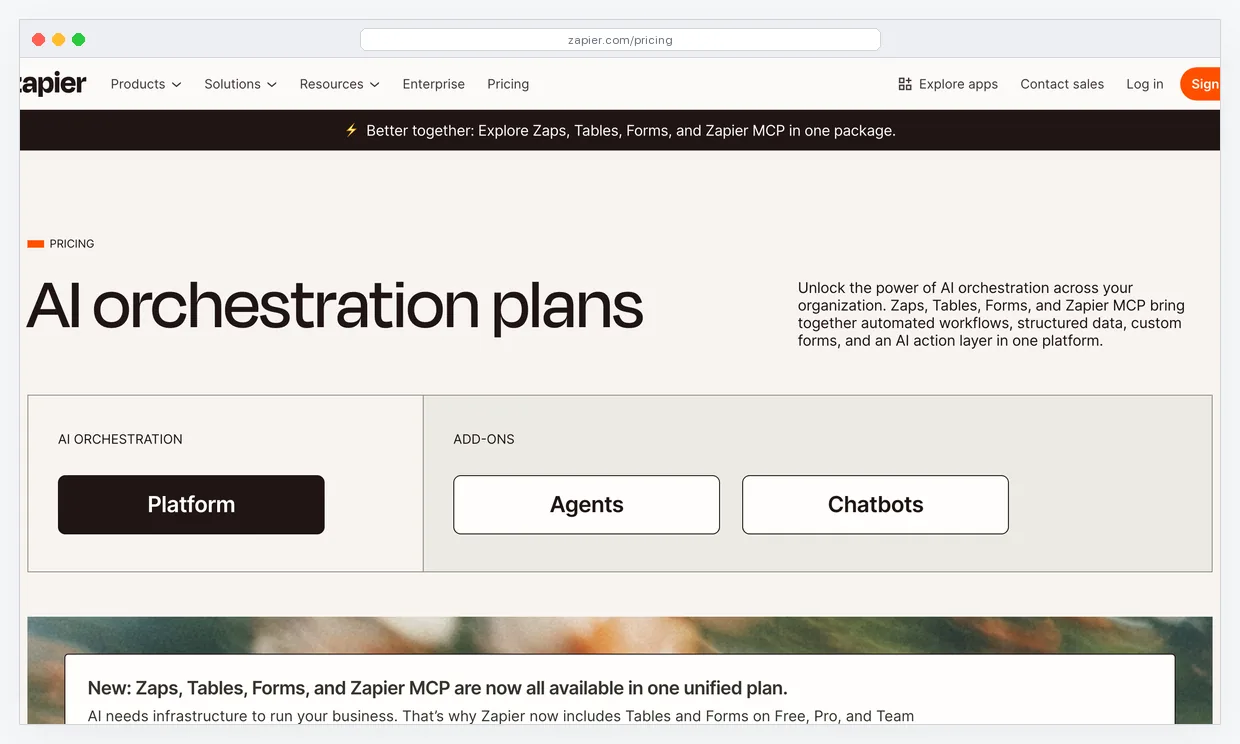
ZapierConnectorFastest two-app setup$19.99/moYes, 100 tasks
n8nConnectorSelf-hosters, unlimited runs$0 self-hostYes, self-hosted
PabblyConnectorBudget connector, lifetime deals$14/moNo

Type 1: Built-in platforms (where your contacts and logic live)

A platform owns your contact list. The automation logic runs inside the same system that stores the contact record, sends the email, renders the landing page, and (sometimes) processes the checkout. One login, one bill, one database. When a contact triggers an event, the platform routes them through an automation without crossing an API boundary. That matters because every API boundary is latency, rate limits, and another point of failure. If you are starting your marketing stack from zero, this is the category you want.

Systeme.io

Best for: First-time business owners who need a free starting point with a real ceiling.

Systeme.io is the only genuinely usable free platform in this list. The free plan gives you 2,000 contacts, unlimited emails, 3 sales funnels, a membership site, and the ability to sell digital products at $0/mo, which is more generous than any competitor's paid entry tier. The automation builder uses a rule-action structure rather than a visual canvas, which is simpler than GetResponse or ActiveCampaign but also shallower on branching logic. That trade is the point. A functional welcome sequence you build in 30 minutes beats a conditional-branch masterpiece you never finish.

Key features:

  • Rule-action automation builder with trigger-on-tag, purchase, and form events
  • Funnel builder with conversion-rate tracking per step
  • Membership site hosting with drip content scheduling
  • Integrated affiliate program module

Pricing: Free (2K contacts), Startup $27/mo (5K contacts), Webinar $47/mo, Unlimited $97/mo.

Limitation: The automation builder is rule-based, not visual-canvas. If you want to see a 10-node branching workflow as a diagram, Systeme.io will feel cramped compared to GetResponse or ActiveCampaign.

Try it on the free plan before paying anything. Start Systeme.io free or read the full Systeme.io review.

GetResponse

Best for: The balanced all-around pick for most small businesses with an email list and a simple funnel.

GetResponse is what I hand to 80% of small business owners who ask me what to buy first. The visual automation builder is a drag-and-drop canvas with 12 condition types, including tag-based, behavior-based, and e-commerce triggers. What it has over ActiveCampaign at this price point: native webinar hosting (nobody else at $19/mo has this), built-in landing pages with A/B testing, and a list import flow that does not punish you for bringing your own data. Where it loses to ActiveCampaign: the CRM is a tagged contact list, not a real pipeline with deal stages.

Key features:

  • Visual drag-and-drop automation builder with branching paths
  • Native webinar hosting up to 1,000 attendees on Marketer plan
  • Landing page builder with A/B testing and conversion funnels
  • 300+ native integrations, including Shopify, WooCommerce, and Stripe

Pricing: Free (500 contacts), Starter $19/mo, Marketer $59/mo, Creator $69/mo.

Limitation: The CRM is lightweight. If your sales process has a pipeline with stages and rep-assigned deals, GetResponse will feel thin compared to ActiveCampaign or Kartra.

It is the default recommendation for a reason. Try GetResponse or read the full GetResponse review.

Marketing automation workflow canvas showing branching logic and email sequences

ActiveCampaign

Best for: Small businesses whose automation logic is genuinely complex and whose sales process has a real pipeline.

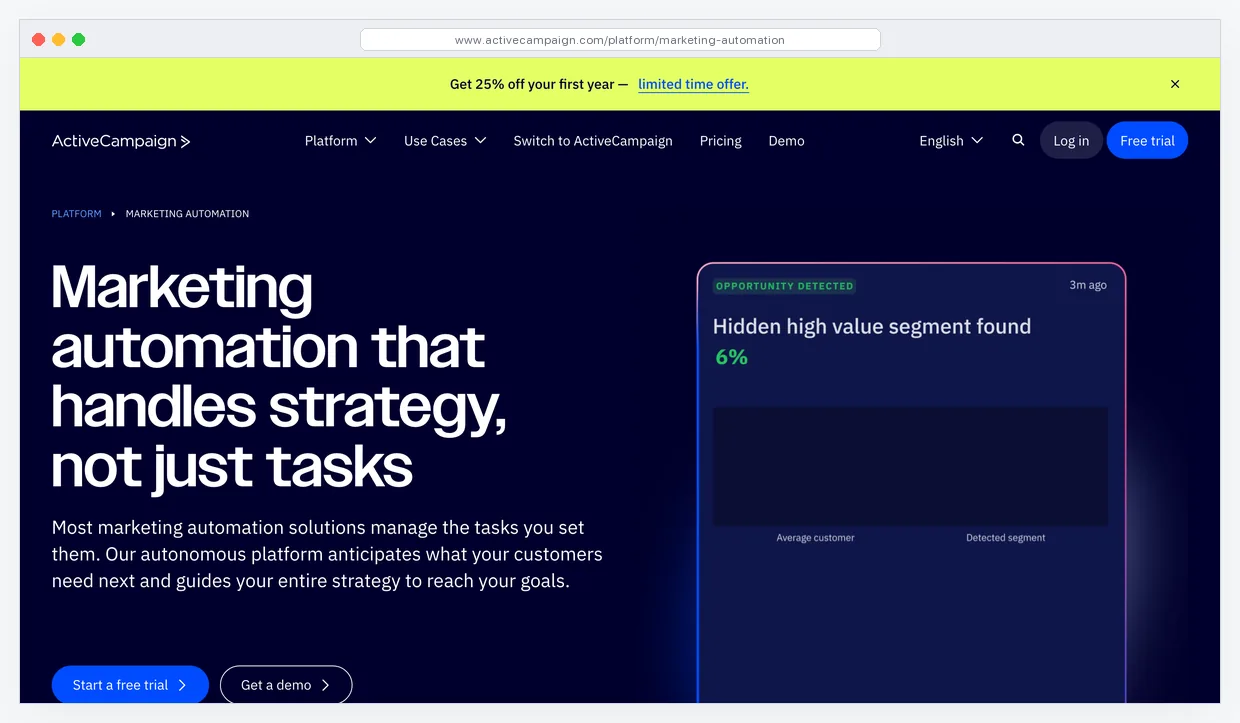
ActiveCampaign has the strongest automation builder at this price tier. It ships 20+ condition types and lets you branch on a combination of tag, custom field, purchase history, site-visit behavior, and email engagement inside one automation. GetResponse does this with fewer branches (12) and Mailchimp does it with a tiny handful. If you want to trigger an automation when a contact visits a specific page three times, has a custom field equal to X, and has not opened an email in seven days, ActiveCampaign handles it cleanly. GetResponse needs workarounds. The CRM is a real pipeline with deal stages, rep assignment, and deal value tracking.

Key features:

  • 20+ automation condition types with combined branching logic
  • Site-tracking pixel that feeds page visits into automation triggers
  • Real CRM with deal pipelines, stages, and rep assignment
  • Predictive sending and win-probability scoring on higher plans

Pricing: Starter $15/mo, Plus $49/mo, Pro $79/mo, Enterprise $145/mo (pricing scales hard with contacts).

Limitation: The learning curve is steeper than GetResponse. New users take two weeks to build their first production automation confidently. No native webinar feature. Price climbs fast as contact count grows.

If your automation needs are complex, it is worth the ramp-up. Read the full ActiveCampaign review.

Kartra

Best for: Course creators and membership sellers who want checkout, email, pages, and memberships in one login.

Kartra is the all-in-one platform for people selling digital products. It bundles checkout (with one-click upsells), a full email automation system, landing pages, membership site hosting, a helpdesk, and a calendar booking tool. The automation builder (called Kartra Sequences) is trigger-action-heavy and handles purchase events natively, which is where GetResponse and Mailchimp need a connector to work cleanly. Against Systeme.io (the closest competitor on features), Kartra has a more polished checkout experience and better membership-site UX, at 4x the price.

Key features:

  • Integrated checkout with one-click upsells and order bumps
  • Sequence-based automation with behavior-based tagging
  • Membership site with drip content and progress tracking
  • Calendar booking, helpdesk, and affiliate center all built in

Pricing: Starter $119/mo, Growth $229/mo, Professional $549/mo.

Limitation: The price floor is $119/mo. If your list is under 2,500 contacts and you are not yet selling a course, Systeme.io does 70% of the same job for a quarter of the cost.

Worth the premium when the membership module earns its keep. Try Kartra or read the full Kartra review.

GoHighLevel

Best for: Marketing agencies managing campaigns for multiple clients under one login.

GoHighLevel is not a small-business tool. It is an agency operating platform that happens to include a strong marketing automation engine. One dashboard manages sub-accounts (one per client), each with their own CRM pipeline, SMS and voicemail drops, email automation, appointment booking, reputation management, and white-labeled client portals. If you run an agency that bills clients $1,500+/mo in marketing services, GoHighLevel replaces the five tools you were stitching together per client and lets you rebill the platform cost at a markup.

Key features:

  • Unlimited sub-accounts for client campaigns (Agency plan)
  • SMS, voicemail drops, and email in one automation canvas
  • Appointment booking with calendar sync and automated reminders
  • White-label client portals and reputation management

Pricing: Starter $97/mo (single account), Unlimited $297/mo (unlimited sub-accounts), SaaS Pro $497/mo.

Limitation: The learning curve is the steepest in this list. Setup takes days, not hours. If you are a solo business owner marketing only your own services, GoHighLevel is overkill and GetResponse at $19/mo does what you actually need.

If you run an agency, the math is obvious. Try GoHighLevel or read the full GoHighLevel review.

Mailchimp

Best for: Brand-first businesses sending casual broadcast email with shallow automation needs.

Mailchimp is the most well-known email tool in this list and the one I recommend least often. The free plan is tighter than it used to be (500 contacts, 1,000 monthly sends), the automation builder on lower tiers is restricted to a handful of prebuilt Customer Journey templates, and pricing scales harder per contact than GetResponse or Mailerlite. What Mailchimp genuinely does well is brand-first email design. The template library is the best in the category, the visual editor is the most polished, and for a business whose primary marketing channel is a monthly newsletter, it is a comfortable fit. Where it falls apart is anything involving conditional logic, purchase-event triggers, or a tag-based segmentation strategy.

Key features:

  • Customer Journey visual builder (Standard plan and up)
  • Best-in-class email template library and visual editor
  • Built-in landing pages and sign-up forms on paid tiers
  • Native Shopify and WooCommerce sync with revenue reporting

Pricing: Free (500 contacts, limited), Essentials $13/mo, Standard $20/mo, Premium $350/mo.

Limitation: The automation builder on Essentials is thin. Real conditional branching unlocks only on Standard. Price scaling per contact is the steepest in this list beyond 10K contacts.

Fine for newsletters, wrong for sales funnels. Read the full Mailchimp review.

Mailerlite

Best for: Lean email-only budgets where a clean UI beats feature depth.

Mailerlite is the cleanest email UI in this list. The visual editor, automation canvas, and dashboard are all uncluttered in a way that makes the tool actually enjoyable to log into. The automation builder is a proper drag-and-drop canvas with conditional logic, and the free tier goes up to 1,000 contacts with automation included, which Mailchimp specifically does not do. Compared to GetResponse, Mailerlite is weaker on landing pages, does not ship webinars, and has a smaller native integration catalog. Compared to Mailchimp, it costs less and ships more usable automation at every tier.

Key features:

  • Drag-and-drop automation with conditional branching (free tier)
  • Clean, low-friction email builder with mobile preview
  • Landing pages and pop-up forms included at every tier
  • Paid newsletter subscriptions feature built in

Pricing: Free (1K contacts, 12K emails/mo), Growing Business $10/mo, Advanced $20/mo.

Limitation: No webinar feature, limited landing page templates, and the CRM is effectively a tagged contact list. Not suitable for sales-pipeline businesses.

The best pure-email pick at this price. Read the full Mailerlite review.

Brevo

Best for: High-volume senders who also need SMS and transactional email in one bill.

Brevo bills on email send volume instead of contact count, which flips the pricing math for any business with a large but cold list. If you have 50,000 contacts and send 10,000 emails a month, GetResponse charges you for the 50K contacts and Brevo charges you for the 10K sends. That alone saves serious money for e-commerce stores and publishers. Brevo also ships native SMS, WhatsApp, and transactional email in the same account, which matters if you run promotional and transactional traffic through one system.

Key features:

  • Email send-based pricing (contacts are unlimited on most plans)
  • Native SMS, WhatsApp, and transactional email API
  • Drag-and-drop automation builder with behavioral triggers
  • Built-in CRM with deal pipelines and lead scoring

Pricing: Free (300 emails/day), Starter $9/mo (5K emails), Business $18/mo (5K emails + automation).

Limitation: The automation builder unlocks only on the Business plan. The free and Starter tiers do not include the conditional branching most small businesses need.

The right pick if your list is big but your send volume is modest. Read the full Brevo review.

Team comparing marketing automation platforms on a shared screen

Platform pick by revenue stage

$0 to $5K/mo: Systeme.io free or Mailerlite free. $5K to $25K/mo: GetResponse Starter at $19/mo. $25K to $50K/mo with complex funnels: ActiveCampaign Plus. Selling courses: Kartra. Running an agency: GoHighLevel. Do not skip tiers.

Type 2: App connectors (wiring the tools you already pay for)

A connector does not own your contact list. It does not send emails, host landing pages, or run sequences. Its only job is to move data between tools that do not natively talk to each other. Form submit in Typeform, add row in Airtable, push tag into GetResponse, notify Slack. Connectors are the reason the modern SaaS stack works at all, because no vendor integrates with every other vendor natively. The question is not whether you need a connector, it is which one fits your workflow complexity and budget.

Make

Best for: Complex multi-step, multi-app workflows where you need branching logic and data transformation.

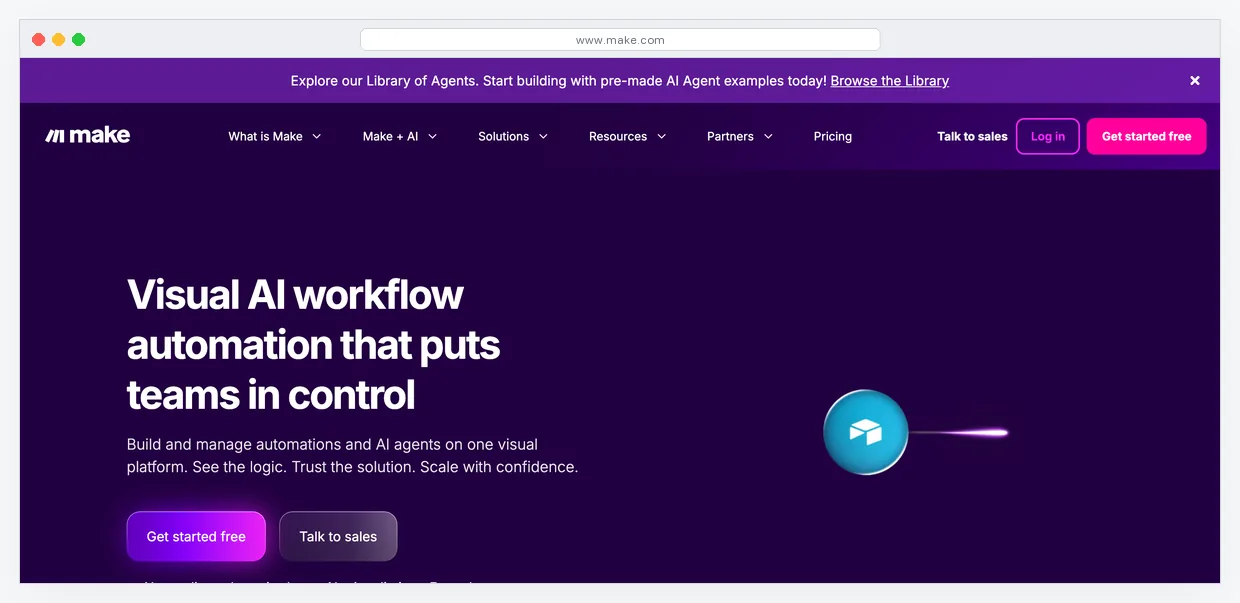
Make (formerly Integromat) is the connector I reach for when a workflow has more than three steps or needs real data transformation. The visual scenario canvas shows every step and every branch at a glance, which Zapier's linear zap view hides. Make bills on operations rather than tasks, and a single scenario run with 10 steps counts as 10 operations. The free tier ships 1,000 operations a month, which is enough for most solo operators to run their core connections end-to-end without paying a cent for the first few months. Where Make beats Zapier: complex branching, data iteration, and raw cost-per-operation. Where Zapier wins: a friendlier onboarding for non-technical users.

Key features:

  • Visual scenario builder with branching, filtering, and iteration
  • 1,900+ app integrations including most small business tools
  • Built-in data transformation functions (no code required)
  • Webhook support with custom triggers and scheduled runs

Pricing: Free (1K ops/mo), Core $9/mo (10K ops), Pro $16/mo (10K ops + advanced features), Teams $29/mo.

Limitation: The learning curve is real. New users take a week to think in scenarios instead of linear zaps. If your workflows are two-step (trigger, action), Zapier is faster to set up.

The best connector for anyone who outgrew Zapier's complexity ceiling. Try Make free or read the full Make review.

Zapier

Best for: Fastest setup time for simple two-app connections.

Zapier is the most well-known connector and the one I still hand to non-technical users. It has the largest app library (6,000+ integrations), the friendliest onboarding, and a zap-builder that walks you through trigger-and-action in under five minutes. For a solo operator who just needs form submissions to land in a Google Sheet and trigger an email in GetResponse, Zapier takes 10 minutes to build and 0 minutes to maintain. Where it gets expensive: multi-step zaps with filters count every step as a separate task, and task-based pricing scales faster than Make's operation-based pricing once you cross 1,000 tasks/month.

Key features:

  • 6,000+ app integrations, the largest catalog in the category
  • Linear zap builder with plain-English trigger-action setup
  • Multi-step zaps with filter and formatter steps
  • AI-assisted zap building with natural language prompts

Pricing: Free (100 tasks/mo, 2-step), Professional $19.99/mo (unlimited steps), Team $69/mo.

Limitation: Multi-step zaps burn task counts quickly. A 5-step zap run 1,000 times per month is 5,000 tasks, which forces you onto a higher-tier plan than the equivalent Make scenario would cost.

Read the full Zapier review.

n8n

Best for: Technical users who want unlimited executions and full self-hosting control.

n8n is an open-source workflow automation tool that runs either on their cloud or self-hosted on your own VPS. Self-hosted n8n on a $6/mo server gives you unlimited workflow executions, unlimited steps, and full access to the underlying database. That economics works only if you are comfortable with a Linux VPS, Docker, and basic backend debugging. For the right user, n8n is the highest-ceiling connector in this list: native AI agent nodes, code-step execution in JavaScript, and the ability to run workflows that Zapier and Make would charge you $100+/mo to handle. The cost is technical overhead.

Key features:

  • Open-source core, self-hostable on any VPS
  • 400+ native integrations with custom node support
  • JavaScript code nodes for custom data transformation
  • Native AI agent and LLM integration nodes

Pricing: Self-hosted Free, Cloud Starter $20/mo, Pro $50/mo.

Limitation: Self-hosting requires Linux and Docker comfort. If those words feel unfamiliar, start with Make's free tier instead and come back to n8n once the workload justifies the learning curve.

The best economics in the connector category, if you can host it. Read the full n8n review.

Pabbly

Best for: Budget-focused operators who want connector functionality at the lowest recurring cost.

Pabbly Connect is the budget play in the connector category. At $14/mo for 12,000 tasks (billed annually), it undercuts Zapier and matches Make on raw cost. The app library is smaller (1,000+ integrations vs. Zapier's 6,000+), so the first thing to check is whether the specific tools you want to connect are supported. Pabbly also runs a lifetime deal on their pricing fairly often, which is a genuinely rare thing in the connector space and worth catching if you can. The UI is functional, not polished, and the community around it is thinner than Zapier or Make.

Key features:

  • Flat task-based pricing with no step-count penalty
  • 1,000+ app integrations covering most mainstream tools
  • Multi-step workflows with filters and conditional paths
  • Occasional lifetime-deal pricing on AppSumo and similar

Pricing: Standard $14/mo (12K tasks), Pro $29/mo (24K tasks), Ultimate $49/mo (50K tasks).

Limitation: Smaller integration catalog. If your stack includes niche or newer tools, Pabbly may not have a native connector and you will be back to Zapier or Make anyway.

Worth trying if cost is the deciding factor. Read the full Pabbly review.

Operator connecting marketing apps through a no-code integration dashboard

Common mistake

Buying a connector before you have a platform. A connector that is not connecting anything is just a monthly bill. Set up your platform first, use it for 60 days, and only then buy a connector to wire in the tools that do not integrate natively.

The decision framework

Three questions collapse this list down to a single recommendation in under a minute.

Question 1: Do you have a marketing stack yet, or are you starting fresh? If you do not have email, landing pages, or a CRM running today, you are a platform buyer. Start with GetResponse ($19/mo) if you have budget or Systeme.io (free) if you do not. If you already have three or four tools running and they do not talk to each other, you are a connector buyer. Start with Make ($9/mo).

Question 2: Does your sales process have stages and deals? If yes, and you are a platform buyer, skip GetResponse and buy ActiveCampaign or Kartra. If you are a solo service business booking appointments and closing deals by phone, GoHighLevel handles that job end-to-end. If no, GetResponse or Mailerlite is enough.

Question 3: How many contacts will you have in 24 months? Run pricing at that projection, not today's number. Mailchimp at 25K contacts is $350/mo. GetResponse at 25K is $119/mo. Brevo at 25K contacts with 50K sends/mo is $65/mo. The right-price tool at 1K contacts is often the wrong-price tool at 25K. Per Litmus's State of Email research, email continues to deliver strong ROI but the bill scales with list size, so the decision you make at the entry tier has a compound effect over two years.

If you work through those three questions honestly, the recommendation writes itself. Most small businesses reading this article should end up on GetResponse plus Make. That combination covers 85% of the automation jobs a $5K-$50K/mo business actually needs to do. Kartra plus Make handles course-seller stacks. GoHighLevel standalone handles agencies. Everything else is optimization at the margin.

Frequently asked questions

What is the difference between a marketing automation platform and a connector?

A platform (like GetResponse, ActiveCampaign, or Kartra) stores your contact list and runs your automation logic inside one system. A connector (like Make, Zapier, or n8n) does not store anything. It moves data between tools you already pay for. If you have no marketing stack, buy a platform first. If your tools exist but do not talk to each other, buy a connector.

What is the cheapest marketing automation tool for a true small business?

Systeme.io at $0 on the free plan (2,000 contacts, unlimited emails, 3 funnels) is the cheapest genuinely usable platform. For paid tiers, Brevo starts at $9/mo and Mailerlite starts at $10/mo. On the connector side, Make's free tier ships 1,000 operations per month, which is enough for most solo operators to run their core automations without upgrading for the first few months.

Do I need both a platform and a connector?

Most businesses eventually need one of each, not two of the same category. The platform runs your email list, landing pages, and automation logic. The connector wires in the tools the platform does not natively integrate with. Start with the category that matches your current problem. Buy the other one only when a real integration gap forces the decision.

Is GetResponse better than ActiveCampaign for small business?

For most small businesses, yes. GetResponse is cheaper at entry ($19 vs $29), has a gentler learning curve, and includes webinars and landing pages natively. ActiveCampaign is better only if your automation logic needs 20+ branching conditions in one workflow or if you need a real CRM pipeline with deal stages and rep assignment. If you are not sure which side of that line you fall on, start with GetResponse.

Should I pick Zapier or Make for my first connector?

Pick Zapier if your workflows are two-step (one trigger, one action) and you want the fastest possible setup. Pick Make if your workflows have three or more steps, branching logic, or data transformation needs. Make is cheaper per operation and handles complex scenarios more cleanly. Zapier is friendlier for a first-time user and has the largest integration catalog.

Next steps

Work the decision framework above against your actual stack and revenue stage, then start with a free tier on whichever side of the platform-versus-connector divide matches your situation. Do not buy both at once. A platform you use for 60 days will teach you exactly which integration gaps you need a connector to fill, and that signal is worth more than any list article.

Get a matched tool stack for your exact workflow and budget.

§

Related by problem

Keep solving the same bottleneck

OperationsConversion
  1. 01
    CRM for SMB GoHighLevel vs HubSpot 2026

    HubSpot starts at $800/mo. GoHighLevel is $97/mo. The honest 2026 verdict on pricing, TCPA/10DLC compliance, and migration both directions.

  2. 02
    No-Code Ops No-Code Marketing Tools 2026: 12-Tool Stack | Ea-Nasir.co

    A 12-tool no-code marketing stack mapped by job, with three ready-made stacks at $0, $99, and $299 a month and exact tier limits.

  3. 03
    No-Code Ops Best White-Label Marketing Tools for Agencies 2026

    8 white-label tools that let small agencies sell branded CRM, email, SEO, and sales services without building from scratch.

Next step: Compare no-code automations head to head →
DISPATCH

Weekly Newsletter

The stack breakdown, delivered.

One email per week. Real tool reviews, what's worth the money, and what to skip.

Subscribe Free →
DECISION AID

For the overwhelmed operator

Not sure which tools are right for you?

Answer four quick questions and receive a personalized stack recommendation. Ninety seconds, no signup.

Get My Recommendation →

· four questions · personalized picks · zero fluff